ScalpPanel - scalping panel for USDT futures

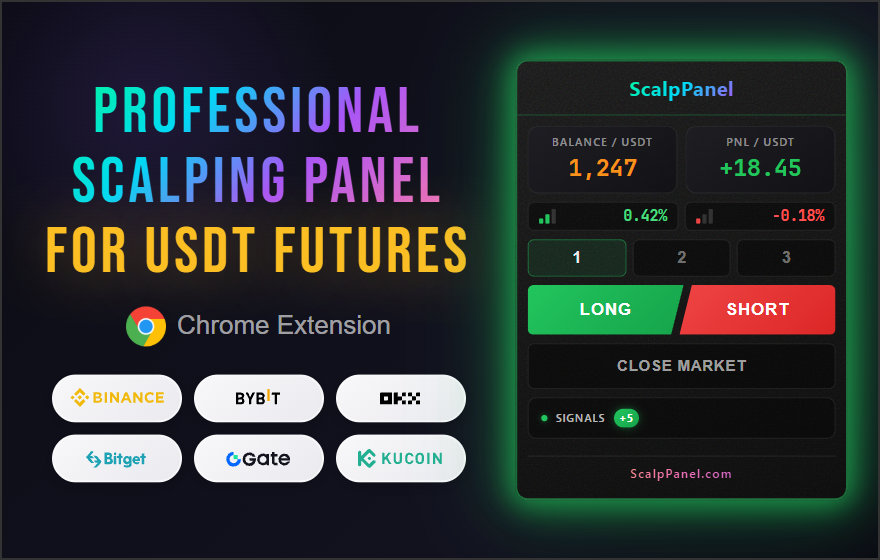
ScalpPanel — professional Google Chrome extensions for lightning-fast trading, automatic TP/SL order placement and tracking sharp price movements across all trading pairs in real-time.

Chrome Extensions for Google Chrome
ScalpPanel
BALANCE / USDT 1247.82
PNL / USDT --
0.00%
0.00%
SIGNALS +3

Supported exchanges

ScalpPanel for leading cryptocurrency exchanges with futures trading support

Available

USDT-M Futures · 600+ pairs
Maker 0.02% / Taker 0.05%

Learn more
Available

USDT Perpetual · 600+ pairs
Maker 0.036% / Taker 0.1%

Learn more
Coming soon

USDT-M Swaps · 290+ pairs
Maker — / Taker —

Coming soon

USDT-M Futures · 530+ pairs
Maker — / Taker —

Coming soon

USDT-M Futures · 630+ pairs
Maker — / Taker —

Coming soon

USDT-M Futures · 510+ pairs
Maker — / Taker —

Coming soon

USDT-M Futures · 230+ pairs
Maker — / Taker —

Coming soon

USDT Perpetual · 300+ pairs
Maker — / Taker —

Built for
efficient trading

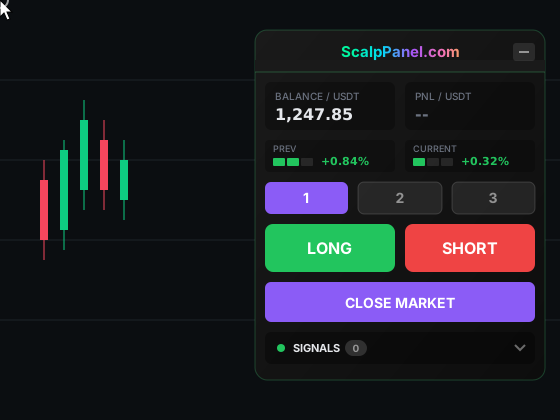
ScalpPanel integrates directly into the exchange's futures trading page and combines all necessary tools in a compact interface — ideal conditions for fast and precise trades when every second counts.

Fast trades
Fast trades

Open positions with one click!

LONG and SHORT buttons instantly open market orders with preset settings (margin mode, initial margin in USDT, take-profit and stop-loss in %). No extra confirmations — time is critical in scalping. Take-profit is set as a limit order, allowing you to save on commission.

Average time to open a position and place all orders is about 300 ms and depends on the user's internet connection speed.

Position monitoring
Monitoring

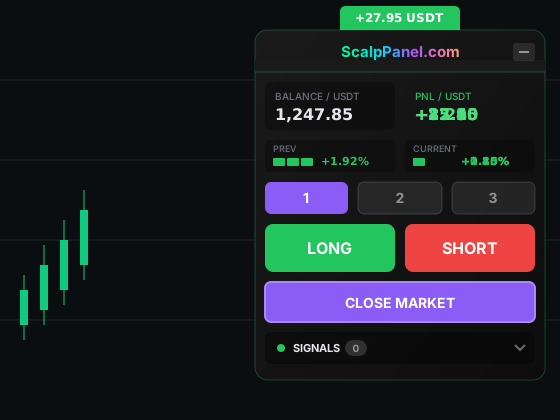
Track positions in real-time

Current PnL, price change percentage on previous and current candle at the timeframe set in settings — all key information is always visible. Data updates via WebSocket instantly, without delays or page reloads.

After each trade closes, a notification appears with the final result — net PnL in USDT after deducting all exchange commissions.

Presets
Presets

Three configurations for different strategies

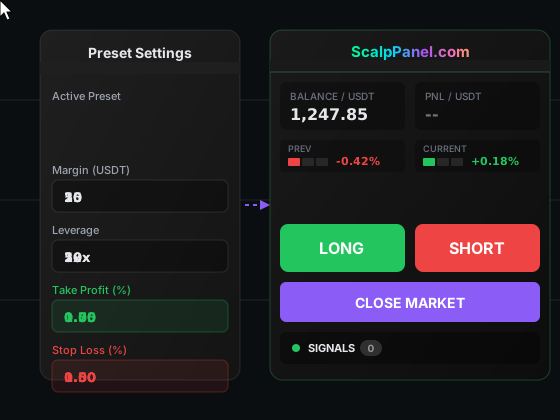
Create three independent presets with individual settings: margin mode (isolated or cross), initial margin in USDT, leverage, take-profit and stop-loss in percentages. Switch between them with one click right on the panel.

Use different presets for different market volatility — conservative for flat markets, aggressive for impulse movements. No need to change settings manually each time.

Pump screener
Screener

Catch sharp movements first

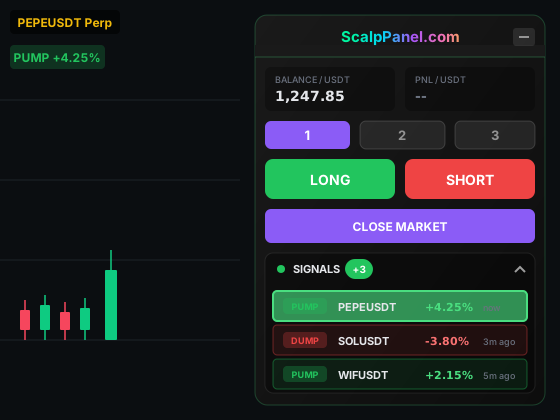
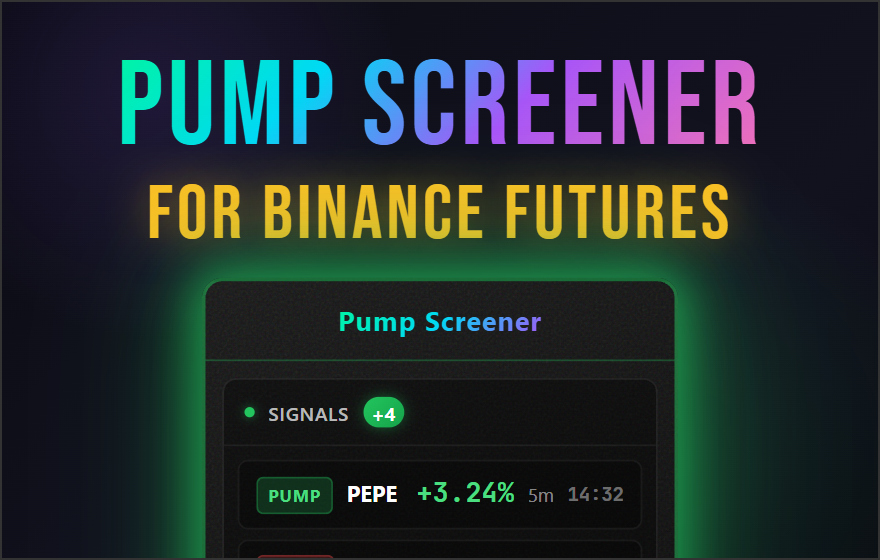
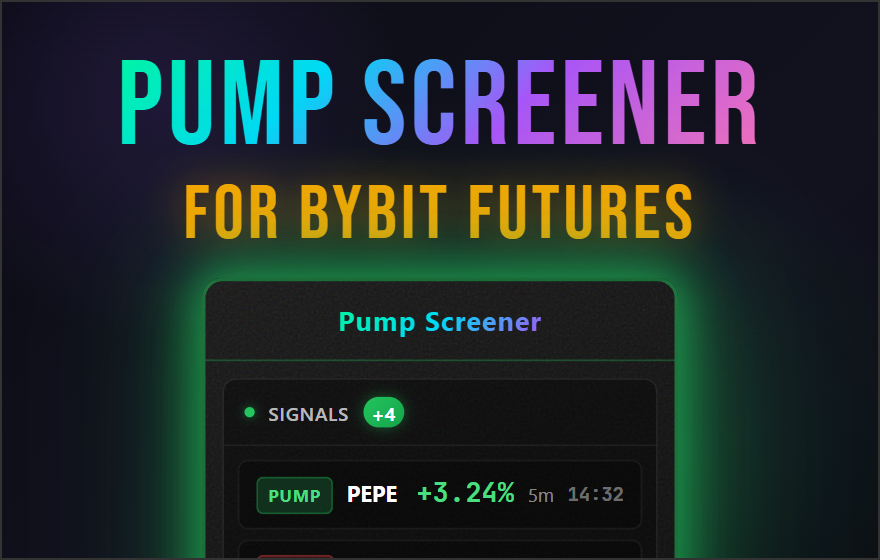
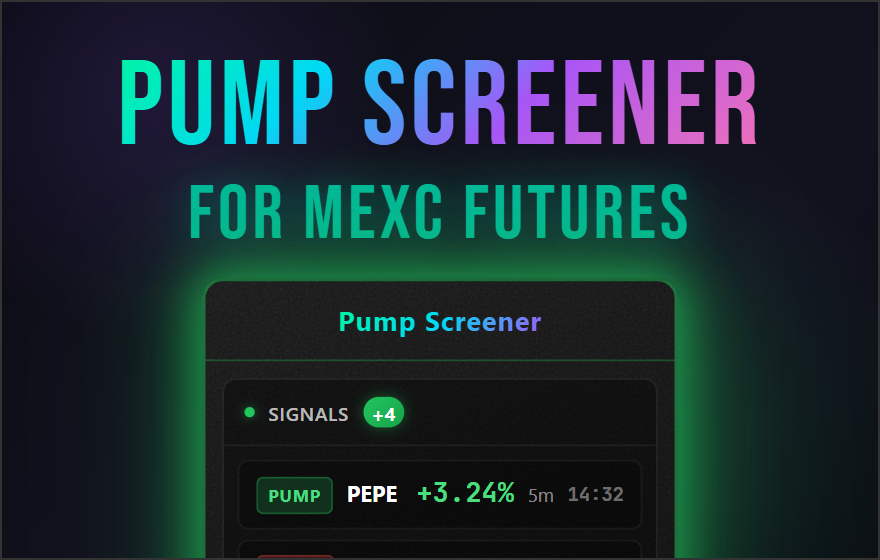
Built-in pump and dump screener monitors all trading pairs in real-time. Set minimum price change threshold in percentages, time window for analysis, minimum daily trading volume, and pause between signals for one pair.

Separate settings for PUMP and DUMP signals allow for more precise movement filtering. Sound notifications won't let you miss a sharp impulse, even if you're distracted from the screen.

Security
Security

Your keys stay with you

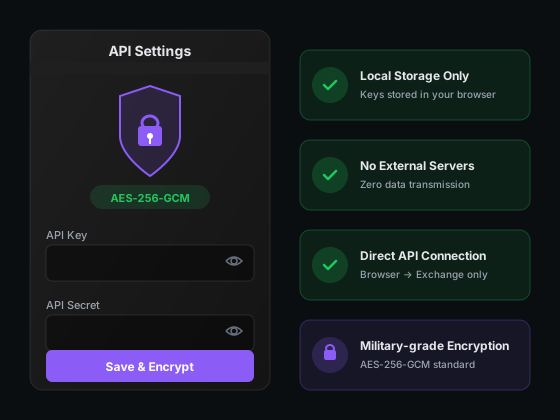
API keys are encrypted with AES-256-GCM and stored locally in your browser. We don't have access to your keys — the extension works directly with the official exchange API without intermediate servers.

We work exclusively with official exchange APIs in strict compliance with their rules and limits. No workarounds, exploits, or terms of service violations.

Why do you need ScalpPanel?

One click instead of ten actions

ScalpPanel - Professional Scalping Panel
ScalpPanel for Binance
ScalpPanel for Bybit
ScalpPanel for MEXC

Scalping without delays and unnecessary actions

The standard exchange interface requires many clicks to open a position. ScalpPanel reduces this to one press — you choose the direction, and the panel automatically places an order with the specified initial margin, leverage, take-profit and stop-loss.

  • Instant position opening
  • Automatic TP/SL according to your settings
  • Works directly on the exchange page
Features Standard interface ScalpPanel
Open position in 1 click
Automatic Take Profit
Automatic Stop Loss
3 preset configurations
15m and 1h candle change notifications
Candle volatility indicator
Real-time PnL
Net PnL after trade closes
Pump/dump screener
Sound alerts for pump/dump signals
Position opening time 20-60 sec

How it works

Three simple steps to get started

1

Set up once

Initial margin, leverage, TP/SL — everything is saved in presets

2

Analyze the chart

The panel doesn't interfere — you can drag it or minimize it to the corner

3

One click = trade

LONG or SHORT with automatic TP/SL in ~300 ms

What is scalping?

Short-term trading strategy in the cryptocurrency market

Scalping is a high-frequency trading strategy based on extracting profit from minimal price fluctuations. A scalper opens and closes positions within seconds or minutes, making dozens or even hundreds of trades in one trading session. Average profit per trade ranges from 0.1% to 1%, however, with proper risk management and high frequency of operations, cumulative income can significantly exceed results of long-term strategies.

In the cryptocurrency market, scalping has gained particular popularity due to 24/7 exchange operation and high volatility of digital assets. Unlike traditional financial markets, cryptocurrencies trade around the clock, allowing scalpers to find profitable entry points at any time. Futures trading with leverage up to 100-125x opens opportunities to multiply profits even from micro price movements — a 0.5% price change with 20x leverage turns into 10% to the deposit.

The key advantage of scalping is minimal exposure to market risks. Positions are held for such a short time that global news and sharp trend reversals practically do not affect the result of an individual trade. A scalper works with technical analysis, support and resistance levels, candlestick patterns and volatility indicators. Success in scalping is 80% determined by reaction speed and quality of tools the trader uses.


The problem with standard exchange interfaces

Crypto exchange interfaces are optimized for versatility, not for speed. To open one position, you need to perform 6+ actions. This takes 20-60 seconds — critically long for scalping, where the entry point can be missed in an instant.

Frequently asked questions

Answers to common questions about ScalpPanel

ScalpPanel is a Chrome browser extension that adds a convenient trading panel directly to the cryptocurrency exchange page. The panel "floats" over the chart and allows you to open trades with one click, without having to fill out order forms manually before each trade.

How it works: you set up parameters once (initial margin in USDT, leverage, Take Profit, Stop Loss), save them in presets — and then just click the LONG or SHORT button. The panel instantly performs all calculations, sends the order to the exchange via the official API and automatically places TP/SL orders.

Who it's for: ScalpPanel is created for scalpers — traders who make many quick trades and profit from small price movements. When every second counts, manual order entry through the exchange interface takes 20-60 seconds — ScalpPanel reduces this time to ~300 milliseconds. Additionally, the panel has extra tools: notifications, pump screener, candle volatility indicator, net PnL display after each trade.

ScalpPanel is completely safe and complies with the rules of all supported exchanges. The extension works exclusively through the official exchange API — the same interface used by professional trading terminals and algorithmic systems.

We do not use web scraping, JavaScript code injection, click emulation, or any other methods that could violate the exchange's Terms of Service. Each trading request is sent directly to the exchange's API server with your digital signature — exactly as the official app or any authorized trading bot does.

API trading is a standard and completely legitimate feature that exchanges specifically provide to traders. Binance, Bybit and other exchanges even encourage using API for trading automation.

Extensions are currently available for Binance Futures (USDT-M) and Bybit (USDT Perpetual). Versions for other popular exchanges with futures trading support are in development. Each extension is optimized for the specific exchange's API for maximum order execution speed.

The average time from click to order execution on the exchange is about 300 milliseconds. This includes sending the request to the API, processing by the exchange and receiving confirmation. Actual speed depends on your internet connection quality and current exchange server load. For comparison, manual entry through the exchange interface takes 20-60 seconds.

When opening a position through ScalpPanel, TP and SL orders are automatically placed on the exchange according to values from the active preset (in % from entry price). These orders are executed by the exchange, not the extension — they will work even if you close the browser. This protects your deposit and locks in profit without your participation.

ScalpPanel uses three order types for maximum speed and reliability:

MARKET — market order for instant position opening. When clicking LONG or SHORT, the order executes at the best available price in the order book. This is the fastest way to enter a trade.

LIMIT — limit order for Take Profit. Placed at a fixed price and waits for the market to reach it. Guarantees execution at exactly the specified price (or better). Additional benefit: limit order is a Maker order that pays reduced commission on the exchange.

STOP MARKET — stop order for Stop Loss. Triggers as a market order when the price reaches the stop level. Closes the entire position instantly, protecting from further losses.

Pump screener in ScalpPanel is a built-in module for tracking sharp price movements. First you filter trading pairs by daily volume (for example, only pairs with volume above $50M), then the screener monitors filtered pairs in real-time via WebSocket. On a sharp price movement (pump or dump) above the set threshold, you instantly receive an audio and visual signal with the pair name. This allows finding the most dynamic trading pairs and quickly entering trades without leaving exchange pages and without using third-party tools — everything in one place.

For ScalpPanel to work, you only need Read and Futures Trade permissions. Withdraw permission is NOT required and is NOT recommended to enable. The panel physically cannot withdraw funds from your account — only trade.

Yes, the subscription is tied to your account, not to the device. You can install the extension on any number of computers and use it with one account. Preset settings sync between tabs of one browser but not between different devices. Important: do not run multiple copies of the extension with the same API key simultaneously — exchanges set limits on the number of API requests, and if exceeded you will get a temporary block.

ScalpPanel is a commercial product, and access to trading panels is only provided after purchasing a license. We don't offer a free trial period for paid extensions, as this is a professional tool with ongoing support and development costs.

However, you can verify the quality of our products by installing the completely free extensions Pump Screener for Binance or Pump Screener for Bybit. These screeners work on the same technical base and demonstrate the stability, speed and reliability of our code.

Ready to trade more efficiently?

Join hundreds of traders already using ScalpPanel